아… 이거 셔터스톡 자동 재청구네 😓
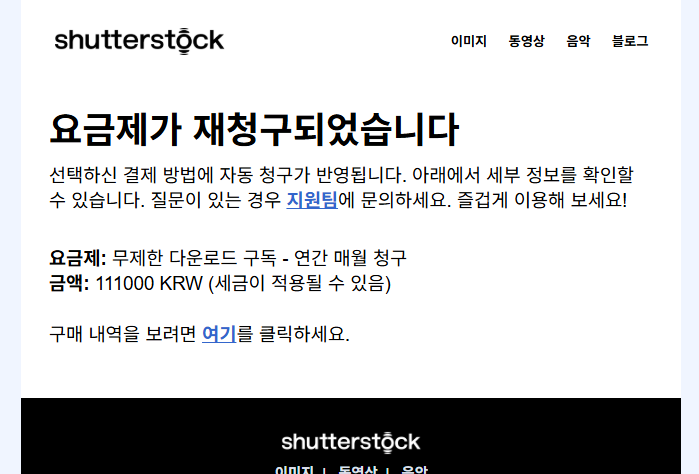
🔥 바로 취소하는 방법 (중요)
아래 순서 그대로 해봐 👇
1️⃣ 셔터스톡 로그인
👉 https://www.shutterstock.com
(메일 받은 계정으로 로그인!)
2️⃣ 계정 설정 들어가기
오른쪽 상단 프로필 클릭 → Account / 계정
3️⃣ Billing / 결제 메뉴
- Plans & Billing
- 또는 Subscription / 구독
4️⃣ ❗️여기서 핵심
- Cancel subscription
- 또는 Turn off auto-renew
👉 이유 묻는 페이지 여러 번 나와도
끝까지 “계속 취소” 눌러야 진짜 취소됨
(중간에 “혜택 줄게요” 함정 있음 😤)
셔터스톡은 아래 경우엔 웹에서 취소 버튼을 일부러 막아둬:
- 이미 자동 재청구가 실행된 직후
- 연간·월납 플랜이라 다음 결제 주기 묶여 있음
- 계정 상태가 “Active renewal”로 고정됨
👉 이럴 땐 고객센터만이 유일한 출구야.
🔥 바로 해결 확률 높은 방법 (제일 빠름)
1️⃣ 셔터스톡 고객센터 바로 가기
👉 https://support.shutterstock.com/
- 오른쪽 아래 Contact Us
- Category:
- Billing & Subscription
- Cancel subscription / Auto-renewal
2️⃣ 아래 내용 그대로 보내 (진짜 중요)
이메일에 복붙해서 써
Hello, I did not intend to renew my subscription, but my plan was automatically renewed without clear notice. I attempted to cancel the subscription, but the option was not available in my account. I am requesting an immediate cancellation of my subscription and a refund for the most recent charge, as I have not used the service since the renewal. This renewal was unintentional, and I would appreciate your assistance in resolving this matter as soon as possible. Thank you.
👉 포인트:
- “I did not intend”
- “cancel option was not available”
- “not used since renewal”
이 3개 들어가야 환불 가능성 올라감 📈
아..놔..이거 취소할라면 50만원 내라는데...만약에 안되면 이거로 뭐를 할수있을까?